Android app

Zend2 Private Browser

Browse with a protected private connection built into the browser.

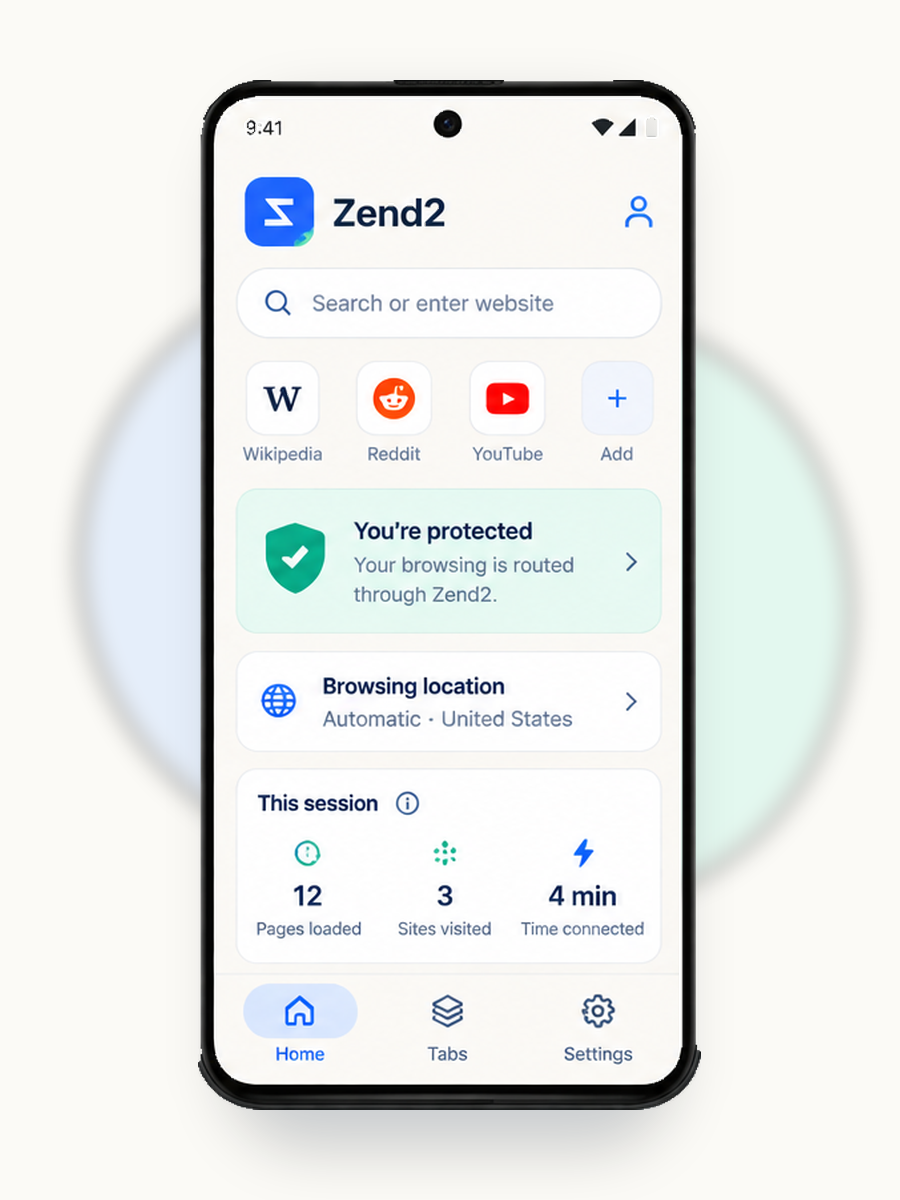
Zend2 Private Browser routes browser traffic through Zend2 Edge while protection is active. Free users get Automatic location. Zend2 Plus lets users choose a browsing region.

The Android app is in launch preparation. This page will link to Google Play when the production listing is live.

Private browsing built in

Zend2 Private Browser uses its own protected browsing connection. While protection is active, browser traffic is routed through Zend2 Edge. You do not configure a separate VPN app for browsing inside Zend2.

Fail-closed protection

If the protected browsing connection is unavailable, Zend2 blocks protected page loading instead of silently switching to an unprotected connection.

Free and Plus

Free: Automatic browsing location. Zend2 selects an available region.

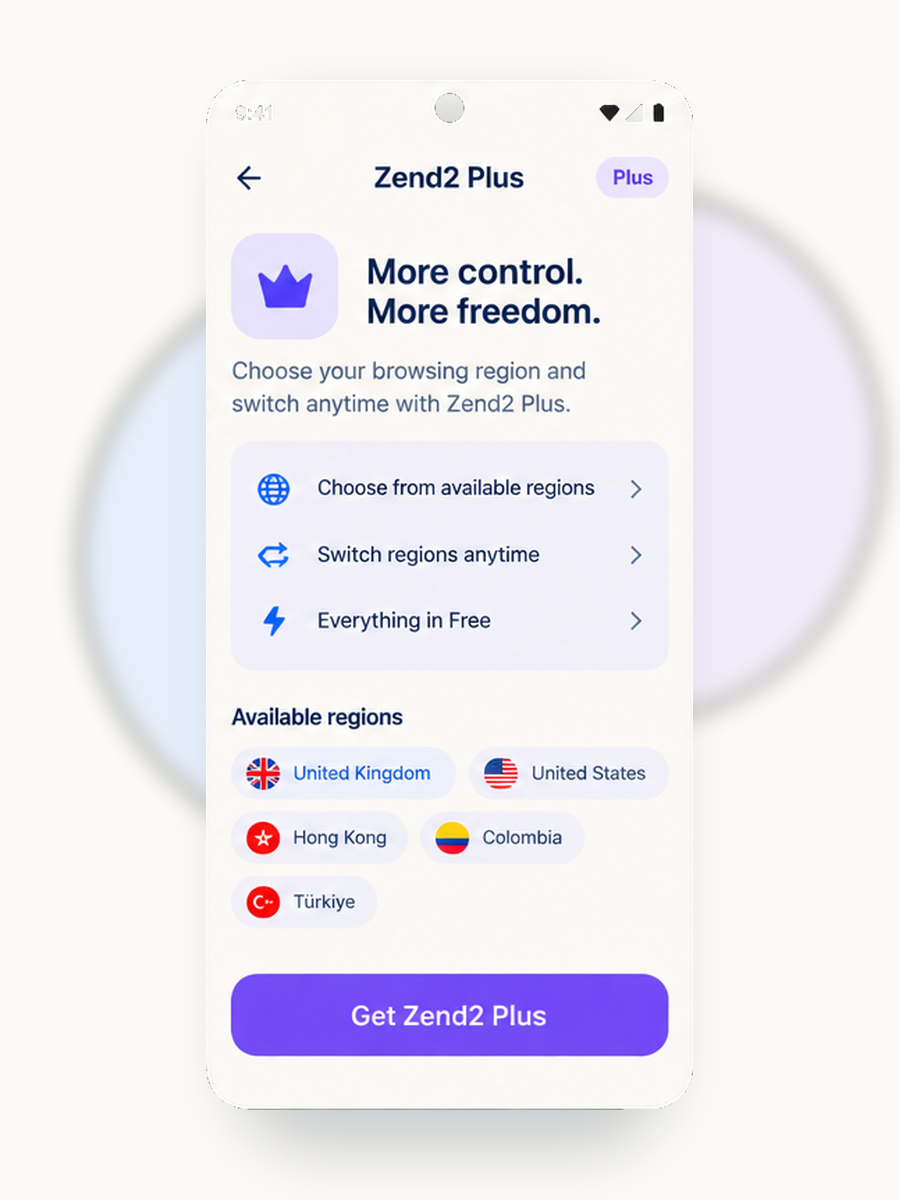
Plus: Choose your browsing region and switch between available regions.

Current selectable regions include United Kingdom, United States, Hong Kong, Colombia, Türkiye. Available regions may change based on service availability.

Zend2 Private Browser is not a system-wide VPN. Protection applies to browsing inside Zend2, not to other apps on your phone.

Need a full-device VPN instead?

Zend2 Private Browser protects browsing inside the app. If you need a VPN for other apps on your device, Zend2 also provides independent tools and resources for comparing third-party VPN providers.

Open VPN Finder

Some VPN Finder links are affiliate links. See our affiliate disclosure.

Browser-only Not a system-wide VPN
Fail-closed No silent fallback
Automatic Free location mode
Google Play Plus billing in Play

How Our Tests Work

Zend2 runs simple, reproducible checks so you can trust what you see. Our tools measure network speed using the open-source ndt7 protocol, detect IP and DNS leaks, flag WebRTC exposure, and verify whether popular streaming catalogs unlock reliably. We publish our methods and refresh results regularly so you can compare providers with the same yardstick. For transparency, we link to methodology docs and explain trade-offs between speed, privacy, and region coverage.

Speed Tests NDT7 protocol measures real throughput without inflated numbers.
Leak Detection IP, DNS, and WebRTC checks catch exposures your VPN should block.
Streaming Checks We test Netflix, BBC iPlayer, and other catalogs monthly.

Pick Your Use Case

Streaming

Unlock Netflix US, BBC iPlayer, and geo-restricted content without buffering.

Find streaming VPNs

Privacy

Hide your IP from trackers, ISPs, and surveillance with audited no-logs providers.

Find privacy VPNs

Torrenting

P2P-friendly servers with port forwarding and kill switch for safe downloads.

Find P2P VPNs

Public Wi-Fi

Encrypt traffic on coffee shop, airport, and hotel networks to block snooping.

Find travel VPNs

Bypass Filters

Obfuscation and stealth protocols to access blocked sites in restricted regions.

Find obfuscated VPNs

Work / Corporate

Secure remote access with enterprise-grade encryption and dedicated IPs.

Find business VPNs

Editor's Quick Picks

Curated based on audits, features, and real-world performance-not paid placement.

N

NordVPN

Audited no-logs Obfuscation Multi-hop Netflix

Strong all-rounder with third-party audits and reliable streaming unlock.

See why
P

ProtonVPN

Audited no-logs Open source Port forward Swiss privacy

Privacy-first with open-source apps and Swiss jurisdiction.

See why
M

Mullvad

Audited no-logs Anonymous signup Port forward WireGuard

No email required, flat pricing, and hardcore privacy focus.

See why

These are editorial picks, not paid placements. See our affiliate disclosure.

Quick Privacy Tips

VPNs, Privacy Tools, and How to Choose Quickly

A VPN encrypts your internet traffic and masks your IP address, but not every situation calls for one. Understanding when you actually need a VPN-and which features matter-saves you money and frustration. This guide covers the essentials so you can make an informed choice in minutes, not hours.

When You Actually Need a VPN

VPNs shine in specific scenarios. If you're on public Wi-Fi at a coffee shop, airport, or hotel, a VPN prevents others on the network from intercepting your data. When streaming geo-restricted content, a VPN can unlock libraries available in other countries. For torrenting, a VPN hides your IP from peers and your ISP. And if you're in a region with internet censorship, obfuscated VPN protocols can bypass blocks. However, a VPN won't make you anonymous online, protect you from phishing, or speed up a slow connection. Know what you're solving for before you subscribe.

Speed vs. Privacy Trade-offs

Every VPN adds latency because your traffic routes through an extra server. The question is how much. Modern protocols like WireGuard minimize overhead-often adding just 10-15% latency compared to 30-40% with older OpenVPN setups. But speed isn't everything. If you need to bypass deep packet inspection, OpenVPN with obfuscation may be slower but more reliable. Our speed test tool measures your actual throughput so you can compare before and after connecting. For most users, a nearby server on WireGuard delivers the best balance.

Leaks to Test Before Trusting

A VPN is only as good as its leak protection. Three common leaks can expose you even with a VPN running:

  • IP leaks: Your real IP shows through if the VPN tunnel fails. Use our IP check to verify your visible address.
  • DNS leaks: Your DNS queries may bypass the VPN and go to your ISP's servers, revealing which sites you visit. Run a DNS leak test to confirm your queries stay encrypted.
  • WebRTC leaks: Browsers can expose your local IP through WebRTC even with a VPN active. Our WebRTC leak test detects this and shows you how to disable it.

Always test after connecting to a new VPN server or switching protocols. A single leak defeats the purpose of using a VPN.

How We Evaluate Providers

Our VPN Finder scores providers on objective criteria: privacy tier (no-logs audits, jurisdiction), quality tier (speed, reliability, app polish), feature support (obfuscation, multi-hop, port forwarding), streaming capability (Netflix, BBC iPlayer), and price tier. We don't accept payment for rankings. Affiliate commissions help fund the site, but they don't influence scores-providers without affiliate programs appear alongside those with them. For full details, see our methodology and affiliate disclosure.

The Electronic Frontier Foundation offers additional resources on digital privacy if you want to go deeper. For most users, though, picking a reputable VPN, testing for leaks, and enabling the kill switch covers the essentials.

Frequently Asked Questions

Zend2 Private Browser is an Android browser with a protected private connection built in. While protection is active, browsing inside Zend2 is routed through Zend2 Edge. See the product page and browser FAQ.

Zend2 Private Browser is not a system-wide VPN. Its protected connection applies to browsing inside Zend2, not to other apps on your phone. If you need a full-device VPN, use VPN Finder to compare third-party providers.

Free includes Automatic browsing location. Plus lets you choose and switch between available browsing regions. Subscriptions are purchased and managed through Google Play. See Zend2 Plus.

Yes, but modern VPNs minimize the impact. Expect 10-20% slower speeds with WireGuard on a nearby server. Older protocols like OpenVPN may add 30-40% overhead. Use our speed test to measure throughput before and after connecting.

A VPN that leaks your IP or DNS queries defeats its purpose. DNS leaks reveal which sites you visit to your ISP. WebRTC leaks expose your real IP through your browser. Always test after connecting.

Independent audits add credibility but are not foolproof. A reputable auditor examines server infrastructure and logging practices at a point in time. That is better than a marketing claim alone, but no audit guarantees future behavior.

Zend2 Plus is sold as a Google Play subscription. We also earn affiliate commissions when you purchase a third-party VPN through VPN Finder links. Affiliate status does not change VPN Finder scores. See our affiliate disclosure.

More Zend2 Private Browser questions